
Technology
How to Make AI-Generated Controls Feel Responsive

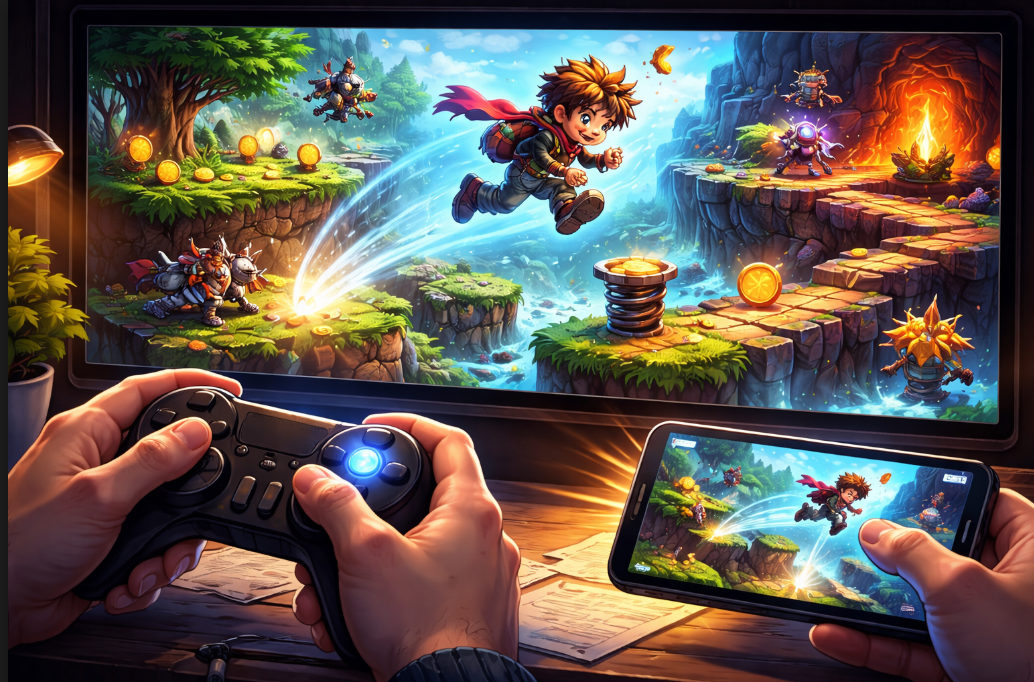
You describe your game idea, generate it, and test the controls. The character moves and jumps, but everything feels delayed or stiff. Taps or key presses take a split second too long to register, jumps fall short or overshoot, and turning feels sluggish. Players notice immediately, they mash buttons in frustration, miss easy actions, and quit after 20 seconds. This unresponsive feel comes from basic descriptions that do not specify timing, momentum, or device differences. The tool uses safe defaults, but they rarely match the snappy response players expect. Responsive controls make games addictive: inputs are triggered instantly, movement flows naturally, and actions are met with feedback.
You fix it by refining your description with exact details on response time, physics feel, input mapping, and polish. Update one aspect, generate again, play on phone and keyboard, adjust. On the AI game maker online platform, like Astrocade, you can regenerate fast for quick tests. Most creators make controls feel great after 4-6 tweaks. This guide shows why responsiveness lags and gives step-by-step refinements for platformers, runners, and shooters. Your game will go from frustrating to fluid, keeping players hooked.
Why Controls in Generated Games Often Feel Sluggish
Basic descriptions like make a jumper with tap to jump create functional but unpolished input. The tool adds average delay (0.1-0.2 seconds), generic momentum, and uniform sensitivity. On phones, finger taps compete with palm rests; on keyboards, repeated presses lag. Physics default to floaty or heavy without weight. No feedback means players guess if the input was registered. Result: actions feel disconnected, tap, wait, react. Players fight the game, not enjoy it. Responsive means zero perceived lag, natural weight, and confirming feedback. Refine by describing exact timing and feel upfront.
Map Inputs Precisely for Instant Response
Nothing kills momentum like fumbling controls, unclear inputs lead to missed jumps and rage-quits. Spell out every action crystal-clear in your prompt, covering taps vs. holds and multi-touch. Tailor to devices too: “Tap left screen half to move left, right half to right, center to jump, hold center for higher leap. Keyboard echo: “A/D moves, space jumps (hold for charged).
We tried this for Desert Terror. Raw version had vague swipes causing sand dune wipeouts; refined to split-screen taps (left/right move, bottom-center dodge-roll, top-center dune-slide hold), plus keyboard WASD + shift. Players nailed precise terror dodges in dunes, boosting completion rates, no more “what button?” frustration.
Here are input refinements for responsiveness:
- Tap registers in 0.05 seconds max, no minimum hold time.
- Separate zones: bottom 30% swipe left/right, top 70% tap actions.
- Keyboard instant: arrow keys nudge 5 units/frame, space full jump.
- Ignore palm swipes: only single-finger inputs count.
Generate, test 50 taps, count misses. Zero perceived delay builds trust.
Tune Physics and Momentum for Natural Movement
Stiff physics break the flow. Refine gravity, friction, and bounce for a weighty yet agile feel. Medium gravity pulls down smoothly over 0.5 seconds, and friction slows the run to stop in 1 second. Jumps arc with forward carry, land squash 10% scale.
Here are physics tweaks for responsive handling:
- Gravity 80% earth standard, air resistance light for controlled glides.
- Momentum preserves: wall slide on hold, dash builds speed over 0.3 seconds.
- Bounce on land: 20% height return, dust puff confirms.
- Collision forgiving: 5 pixel overlap before damage.
Play runs/jumps, feels grounded? Adjust values until intuitive.
Layer Feedback by AI Maker to Confirm Every Action
Silent inputs confuse. Add visual/audio cues so players know input worked. Glow under finger on hover, ripple on tap. Jump trail fades behind.
Here are feedback layers for confirmation:
- Visual pop: scale input area 120% on press, ease back.
- Sound sync: whoosh starts on tap, peaks mid-jump.
- Haptic: short buzz on land/collect (mobile).
- UI tick: brief score pulse on success.
Test blind: close eyes, tap, hear/feel response? Layers make controls reliable.
Optimize for Devices and Balance Sensitivity of Game
Phone vs keyboard needs separate handling. Describe both. Mobile: larger zones (60px min), variable sensitivity for thumb size. Desktop: precise pixel nudges.
Here are device balances:
- Mobile portrait priority, auto-scale UI 150%.
- Sensitivity slider hidden, default medium for casual play.
- Edge ignore: 10% screen border, no input.
- Adaptive: speed up if fast taps are detected.
Test cross-device: phone thumb play, keyboard precise. Unified feel across.
Test Responsiveness Through Intense Play
True test in chaos: crowded sections, fast combos.
Routine:
- Play 10 minutes of high action, count input fails.
- Record screen, review lags frame-by-frame.
- Friend test: different devices, note complaints.
- Benchmark: 100 jumps, measure consistency.
Regenerate tweaks, compare videos. Aim for a sub-50ms feel.
Example of Responsive Controls Done Right
Among Us The Skeld shines with mobile-first controls. Tasks swipe smoothly, movement nudges precisely, impostor kills haptic punch. Taps register instantly, no misfires.
Wrap Up Refine to Responsive Perfection
Responsive controls from precise mapping, tuned physics, confirming feedback, device balance, and intense tests. Describe exactly, iterate plays. Your game: pick sluggish action, refine input/physics. Generate, test chaos. Fluidity transforms play.
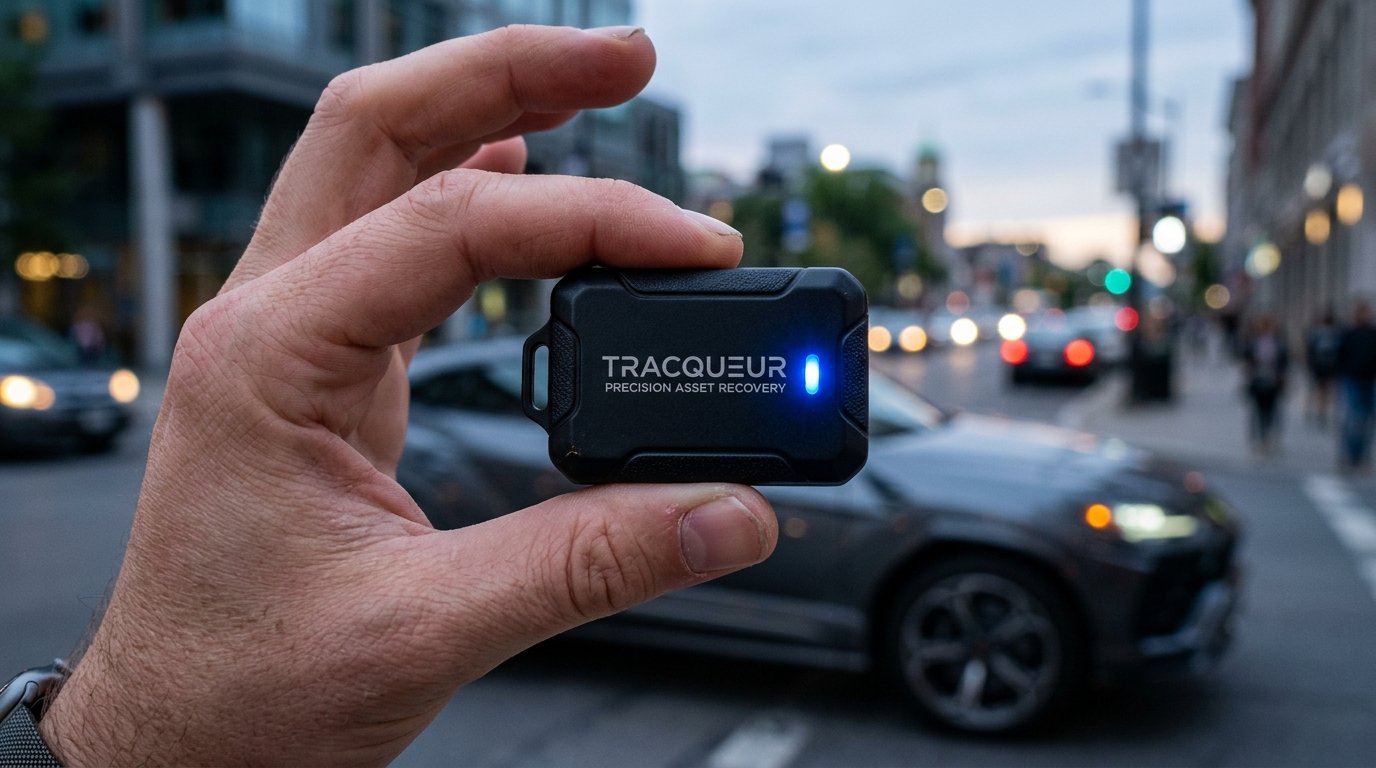
A Tracqueur is a tracking device or software system used to monitor location, movement, or task progress in real time. It combines GPS technology, sensors, and digital dashboards to provide accurate data for vehicle tracking, asset security, personal safety, and productivity management. With benefits like improved efficiency, enhanced safety, and better time management, Tracqueurs are widely used across industries. Whether as a physical GPS tracker or a digital workflow tool, they help users stay informed, organized, and in control through real-time insights and smart data analysis.
A Tracqueur is a specialized tracking tool or digital platform used to monitor location, movement, and task progress in real time. It functions by gathering data through hardware sensors or software inputs and displaying that information on an intuitive dashboard. The main benefits of using a Tracqueur include improved safety, enhanced workforce efficiency, and better time management. These systems are used for GPS tracking, vehicle monitoring, asset recovery, and professional project management. The main parts of a physical Tracqueur include a GPS chip, a battery, an antenna, and a SIM card, while software versions consist of customizable task lists and analytics tools.
What Is a Tracqueur?
A Tracqueur (TQR) is a tracking device or software system designed to follow the location, movement, or activity of an object, person, or digital project. It acts as a smart locator that collects data and transmits it to a phone, app, or centralized task management system. While some models exist as physical hardware for GPS tracking, others function as productivity software for modern professionals.
The primary goal of any Tracqueur is to provide real-time monitoring and situational awareness. For a freelancer, it might be a tool to track progress seamlessly on a client project. For a logistics manager, it is a physical unit used for vehicle tracking to ensure delivery accuracy. Because of this versatility, the term applies to both the physical realm of security and the digital realm of project management.
What Does the Word Tracqueur Really Mean?
The word Tracqueur is derived from the French term for “tracker,” referring to an entity that follows clues or signals to monitor a target. In a modern context, it describes a gadget or software platform that watches and records data over time. It is a synonym for “traceur” or “balise de suivi.”
In the tech industry, a Tracqueur is often viewed as a comprehensive solution for organization. It signifies a shift from manual oversight to automated, continuous operational oversight. Whether it is a Petit tracqueur GPS for a pet or a complex workflow system for a startup, the meaning remains rooted in the ability to trace and retrieve information accurately.
How Does a Tracqueur Work?
A Tracqueur works by detecting position or task status, transmitting that data over a network, and displaying the results on a user interface. Most hardware devices rely on Global Positioning System (GPS) technology to calculate coordinates via satellites. Once the position is determined, the device sends data through GSM, Wi-Fi, or Bluetooth networks.
In a professional software environment, the process involves:
-
Data Input: Users or sensors log activities into a task management system.
-
Processing: The software uses a proprietary algorithm deployment to analyze productivity or location.
-
Visualization: An intuitive dashboard displays the information, allowing users to visualize tasks at a glance or see a dot on a map.
Types of Tracqueurs
There are 5 main types of Tracqueurs used across different industries, including:
-
GPS Trackers: These units focus on Vehicle Tracking and Asset Tracking for anti-theft and fleet management.
-
Personal Trackers: These are small devices used for Personal Tracking of children, elderly relatives, or solo travelers.
-
Pet Trackers: These attach to collars to help owners locate lost animals.
-
Productivity Trackers: These are software-based systems used by a marketing manager or a freelance graphic designer to manage your time.
-
Fitness Trackers: These wearable devices monitor health metrics and movement patterns.
Benefits of Using Tracqueur
The main benefit of using a Tracqueur is the provision of real-time tracking, which allows users to act immediately during emergencies or deadlines. There are 4 additional advantages to using these systems:
-
Improved Safety: Using a Tracqueur GPS moto or car unit provides precision asset recovery if theft occurs.
-
Increased Efficiency: Teams can allocate their hours better and prioritize their assignments using integrated analytics.
-
Reduced Stress: Knowing the location of a missing bag or the status of a project deadline tracking which keeps urgency in mind reduces anxiety.
-
Better Data Insights: Users can identify areas for improvement by reviewing movement history or performance metrics.
Why Are Tracqueurs Becoming So Popular Right Now?
Tracqueurs are becoming popular because mobile functionality and AI integration have made tracking more accessible and affordable. As remote work becomes a standard in many industries, modern professionals need tools that centralize workflow management.
Another reason for their rise is the “Marsh Magazine” effect—increased media coverage of success stories involving recovered assets or boosted productivity. Small, low-profile device placement and long battery life (Autonomie tracqueur GPS) have made these tools a practical choice for everyday people, not just tech experts.
What Makes a Good Tracqueur Helpful and Safe?
A good Tracqueur is characterized by high accuracy, long battery life, and strong data privacy protections. Accuracy is vital so that the device shows the correct spot or project status most of the time.
A reliable system should also include:
-
Intuitive Tracking Features: The interface should be easy to navigate without a steep learning curve.
-
Encrypted Communication: This prevents unauthorized parties from intercepting location or project data.
-
Customizable Notifications: Users should receive alerts for upcoming deadlines or unusual movement.
-
Durable Design: Hardware must be waterproof and shock-resistant for outdoor use.
How to Choose the Right Tracqueur
Choose the right Tracqueur by identifying your primary goal, such as vehicle security or personal productivity. If you need to manage a large team, look for a task management system with seamless integration with calendars and communication apps.
When selecting a hardware device, consider these 3 factors:
-
Network Support: Ensure the device works with local GSM or Wi-Fi signals.
-
Battery Cycle: Select a model with “Longue autonomie” to avoid frequent charging.
-
Subscription Costs: Check if the Tracqueur GPS sans abonnement (without subscription) fits your budget or if you prefer a premium monthly service.
FAQs
What is a Tracqueur used for?
A Tracqueur is used for monitoring the location of assets or the progress of professional tasks. It helps with safety, logistics, and time management.
Is using a Tracqueur legal?
Yes, using a Tracqueur is legal when tracking your own property or with the consent of the person being tracked. You should always check local privacy laws.
How accurate is GPS tracking?
GPS tracking is typically accurate within 3 to 10 meters (10 to 33 feet) in outdoor environments. Accuracy may decrease indoors or in dense urban areas.
Does a Tracqueur require the internet?
Yes, a Tracqueur usually requires internet or cellular network access to provide real-time updates to your phone or computer. Some models can store data offline and sync later.
How long does the battery last?
Battery life for a Tracqueur varies from 2 days to several months, depending on the model and the frequency of location updates. Smaller units often require more frequent charging.
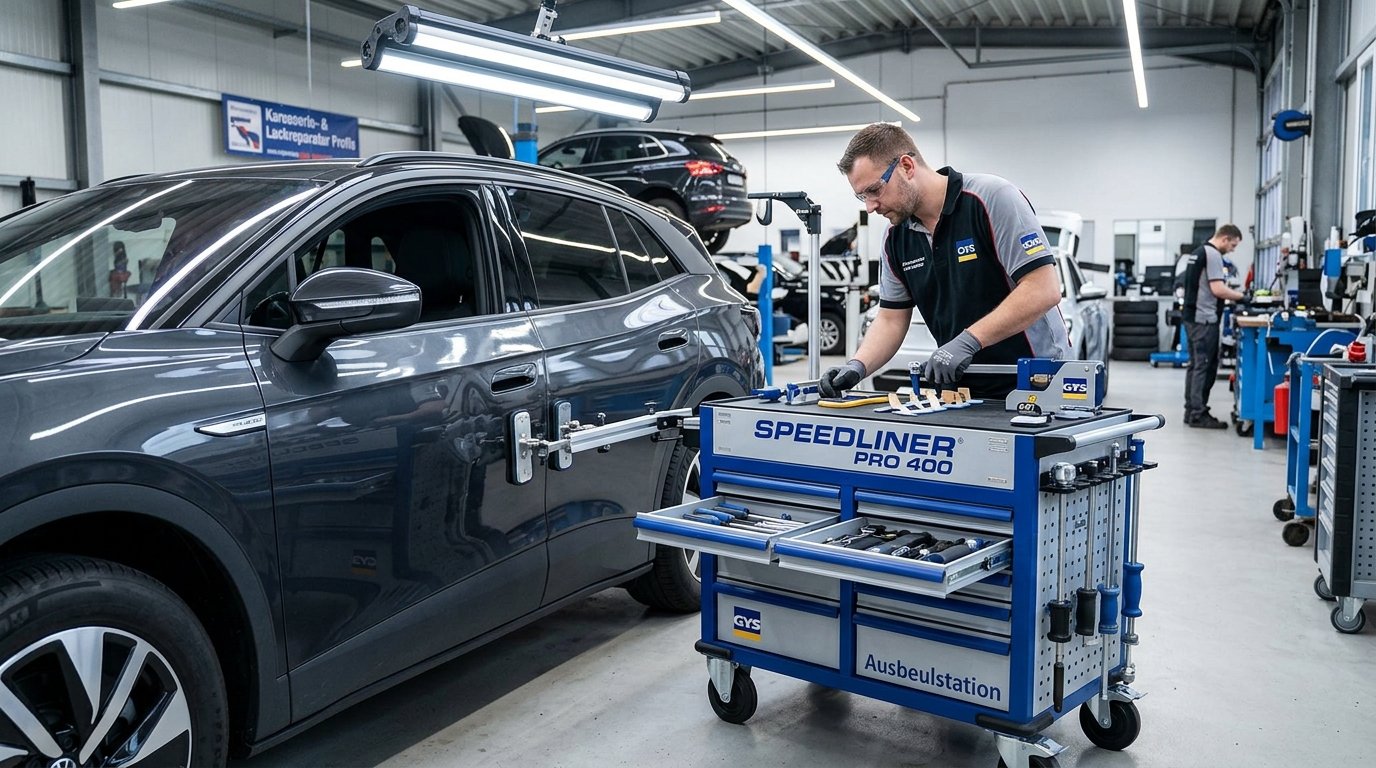
An Ausbeulstation is a modern dent repair workstation designed to streamline automotive body repair by integrating advanced tools into a single mobile unit. It enables technicians to perform precise, paintless dent removal using systems like SPEEDLINER PRO 400 and glue pulling tools, reducing repair time and costs while preserving the vehicle’s original paint. Compared to traditional methods, it is faster, less invasive, and more environmentally friendly due to lower emissions and reduced material waste. Widely used in professional auto body shops, Ausbeulstation technology represents the future of efficient, high-quality car dent repair, especially for modern materials like aluminum and electric vehicles.
An Ausbeulstation (dent repair station) is a specialized modular workstation designed to streamline the Karosserie Reparatur (body repair) process by integrating all necessary tools for dent removal into a single mobile unit. It works by providing technicians with immediate access to advanced pulling systems, welding units, and specialized hand tools, allowing for faster and more precise repairs on both steel and aluminum panels. There are 4 primary benefits of an ausbeulstation, including reduced repair times, improved precision, cost efficiency, and a smaller environmental footprint. These stations are mainly used in professional autowerkstatt (car repair shops) and karosseriewerkstatt (body shops) for tasks such as hail damage mitigation, park dent removal, and structural straightening. The main components of a high-end station include a power source like the SPEEDLINER PRO 400, a KLEBE PULLER SET, various pulling levers, and an Ausbeul Gleithammer Satz (slide hammer set).
The traditional process of car dent repair
The traditional process of karosserieinstandsetzung (bodywork restoration) often involves invasive methods that require stripping the vehicle’s interior and removing exterior paint. Technicians frequently use heavy hammers and dollies to manually beat the metal back into shape from the inside out. This approach increases labor hours because the technician must sand the damaged area, apply body filler, and perform a complete lackschadenreparatur (paint damage repair) to match the original factory finish. Because traditional methods are so labor-intensive, they often lead to longer vehicle downtime for the customer.
Ausbeulstation – the innovative solution
An ausbeulstation represents the innovative solution to these legacy inefficiencies by centralizing advanced Smart Repair technology. Manufacturers like GYS FRANCE (active since 1964) have pioneered units such as the SPEEDLINER PREMIUM PRO EXPERT 400 + ARCPULL 350 to handle complex Karosserie Reparatur. Unlike scattered toolboxes, these stations provide a dedicated environment for lackierfreien Ausbeulen (paintless dent removal) and specialized welding. GYS Deutschland and other international branches like GYS ITALIA, GYS UK, and GYS IBERICA distribute these systems to ensure global standards in invisible repair technology.
How does it work?
To use an ausbeulstation, a technician first identifies the material of the panel, such as steel or aluminum, to select the correct power settings.
-
Clean the surface to ensure maximum adhesion or electrical contact.
-
Attach the pulling element using either KLEBE PULLER SET tabs for lackschadenfreie Ausbeulstation Reparatur or by welding a stud with a unit like the PROLINER PRO 230.
-
Apply controlled tension using a bridge or a GLUE LIFTER to pull the metal back to its original position.
-
Finish the surface with an Ausbeul Gleithammer Satz or a finishing hammer to remove any remaining high spots.
Benefits of using Ausbeulstation for car dent repair
There are 5 key benefits of using an ausbeulstation for modern vehicle maintenance:
-
Vehicle value retention is maximized because the original factory paint is preserved through Dellenentfernung durch Klebetechnik (glue-based dent removal).
-
Minimal invasiveness guarantee ensures that the structural integrity of the panel remains intact.
-
Certified technician network support is easier to achieve when using standardized equipment like the DENTSTATION 39.04.
-
Aluminum panel expertise is enhanced through dedicated tools like the SPEEDLINER ALU PRO, which handles the unique thermal properties of aluminum.
-
Insurance claim assistance becomes more straightforward as these stations provide consistent, high-quality results that meet industry standards.
Cost comparison between traditional methods and Ausbeulstation
Ausbeulstation repairs are generally 30% to 50% cheaper than traditional methods for small to medium dents. While a traditional fahrzeugreparatur (vehicle repair) might cost 500 € (approx. 530 $) due to painting and filler materials, a Smart Repair approach at an ausbeulstation can often be completed for 150 € to 250 € (approx. 160 $to 265$). Savings are achieved because there is no need to purchase expensive automotive paints or spend hours on drying times. For businesses, the ROI (Return on Investment) is fast because the SPEEDLINER PRO 400 + ARCPULL 200 allows for more vehicle turnovers per day.
Impact on the environment
The environmental impact of an ausbeulstation is significantly lower than conventional bodywork. Because the technology focuses on lackierfreies Ausbeulen, it eliminates the emission of Volatile Organic Compounds (VOCs) typically found in automotive paints and thinners. Furthermore, it reduces waste by repairing existing panels rather than replacing them with new plastic or metal parts. Choosing eco-friendly dent removal helps shops meet sustainability goals while reducing the hazardous waste footprint of the autowerkstatt.
Future potential and expansion of Ausbeulstation technology
The future potential of ausbeulstation technology lies in increased automation and integration with digital diagnostics. Platforms like Youtube and Youku already host countless tutorials from GYS CHINA and GYS GERMANY, showing how DENTSTATION ARC PULL 200 + PRO 400 units are evolving to handle thinner, high-strength steels. As electric vehicles (EVs) become more common, the need for precise, low-heat repair methods will drive the expansion of DENTSTATION EXPERT 230 systems across global markets.
Conclusion
The ausbeulstation is the definitive future of Karosserie Reparatur, offering a professional, efficient, and clean alternative to traditional bodywork. By utilizing specialized components like the SPEEDLINER EXPERT or the DENTSTATION ARC PULL, workshops can provide lackschadenfreie Ausbeulstation Reparatur that ensures vehicle value retention. Whether dealing with hagelschadenreparatur (hail damage repair) or parkdellen (parking dents), these stations integrate the best of Smart Repair and invisible repair technology. As we move forward, the adoption of units like the SPEEDLINER PREMIUM PRO 230 will continue to define excellence in the karosseriewerkstatt.
Why makeup transformation posters are popular
-
Dramatic beauty transformations
-
Artistic makeup inspired by fantasies or fashion
-
Creative color schemes or lighting
-
Beauty portraits used in campaigns
Turning beauty ideas into visual concepts
-
Day-to-night beauty transformations from natural to glamorous
-
Fashion or editorial makeup inspired by fashion trends
-
Fantasy or inspirational beauty inspired by myths or movies
-
Colorful artistic face designs used for social media content

Designing posters for beauty campaigns and social media
-
Promotion of makeup tutorials on Instagram
-
Beauty campaign posters
-
Makeup workshop or masterclass posters
-
Beauty portfolio posters
Exploring creative beauty characters
Turning beauty transformations into posters with Dreamina
Step 1: Upload your image
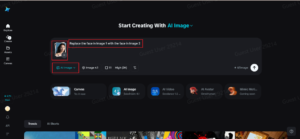
Step 2: Customize and create
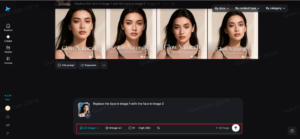
Step 3: Download your deepfake image
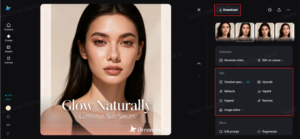
Preparing the image for better visual quality
The process of making transformation posters visually striking
-
The use of bold light effects that emphasize facial features
-
The use of bright colors that represent makeup artistry
-
The use of proper composition to ensure the face is emphasized

Using transformation posters to build a beauty brand
-
Beauty social media campaigns
-
Beauty online portfolios
-
Promotional materials for workshops
-
Visual branding for makeup artists
Final thoughts: Creating makeup transformation posters with Dreamina
-

 Entertainment2 months ago
هنتاوي.com Hub for Trending Arabic Content and Digital Stories
-
Others2 months ago
Insert Han Reference Here: The Veilside Fortune RX-7
-
Others2 months ago
Humble Celebrity: Ramon Bautista’s Lancer “Evo III”
-
Others2 months ago
Pure Rally Bred: Law’s Lancer Evolution VI Tommi Makinen Edition
-

 Technology2 months ago
Eporer Revolutionize Industries with Innovation and Efficiency
-
Others2 months ago
Everyday Show Car: Henry’s Jaos Complete Edition Toyota FJ Cruiser
-

 Business2 months ago
Charfen.co.uk Smart Business Growth and Leadership Solutions
-

 Gaming2 months ago
Garforfans Ultimate Fan Hub for Gaming and Pop Culture